


Chapter 1 · GAD language
Desktop applications
A window drawn by GAD on the graphics card, a state that updates the screen, and a Windows application you can double-click.
A window with a button
An interface is written with tags. There is no closing tag: indentation says what is inside what. eta is a value the screen follows.
sèvi ak vizyon

eta kantite = 0

<legba "Kontè">
    <fenèt tit="Kontè GAD" lajè=520 wotè=320>
        <kad sant>
            <tit tèks="Kontè">
            <tèks tèks="Ou klike {kantite} fwa">
            <bouton id="plis" tèks="Plis">
                lè klike
                    kantite ajoute 1
                fini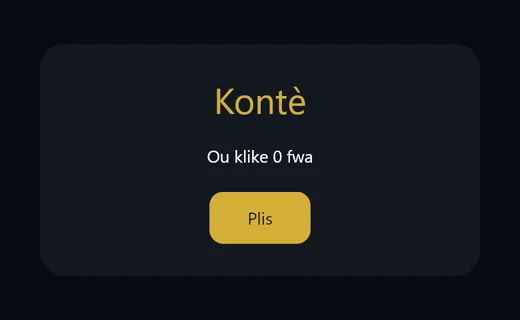
- Create the file
kontè.gadwith this code. - Press
F5, or typegad kouri kontè.gadin the terminal. The window opens. - Click Plis. The text changes to the new count without another line of code.
sèvi ak vizyonis required. Without it, GAD refuses to open a window.- A
<bouton>needs anid.lè klikeopens a logic block, so it closes withfini.
Test a window without a screen
The text backend draws the scene as text and simulates clicks. It is the way to test an interface in the terminal.
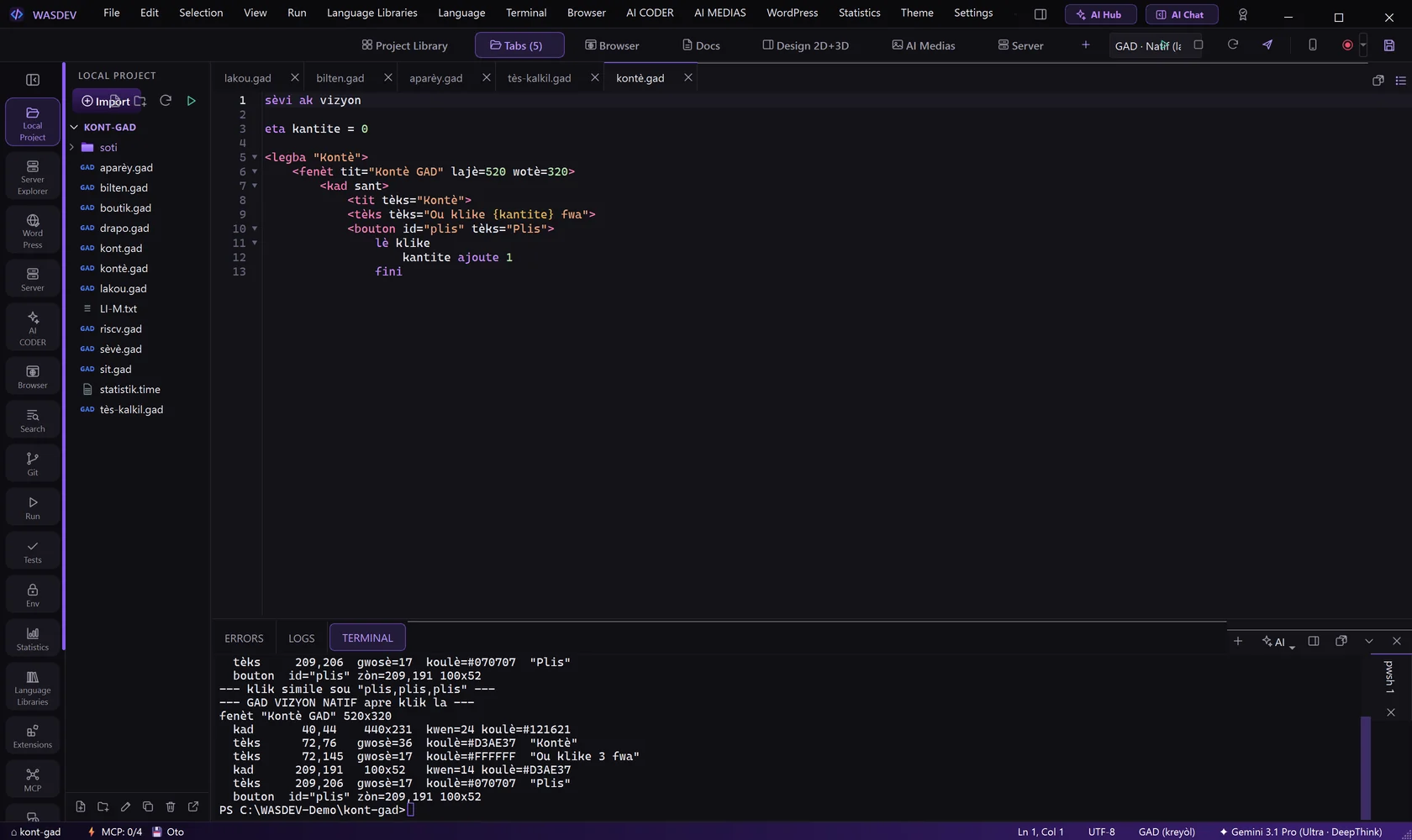
--- klik simile sou "plis,plis,plis" ---
fenèt "Kontè GAD" 520x320
  tèks      72,76   gwosè=36  koulè=#D3AE37  "Kontè"
  tèks      72,145  gwosè=17  koulè=#FFFFFF  "Ou klike 3 fwa"
bouton id="plis" zòn=209,191 100x52- Set
GAD_VIZYON=texto draw the scene as text, andGAD_VIZYON_KLIKE=plis,plis,plisto simulate three clicks.
Layout and animation
| Tag | Meaning |
|---|---|
| <kolòn> | one under the other |
| <ranje> | one next to the other |
| <seksyon> | a part of the page |
| <meni> | navigation |
| <pye> | the bottom area |
- One word animates an element:
parèt,monte,grandiorbat.
Build a Windows application
- Open the GAD file in the editor.
- Open the Run menu and choose GAD: Build .exe, or press
Ctrl+Shift+B. - The application is written in the folder
soti. Double-click it, or run it from the terminal.
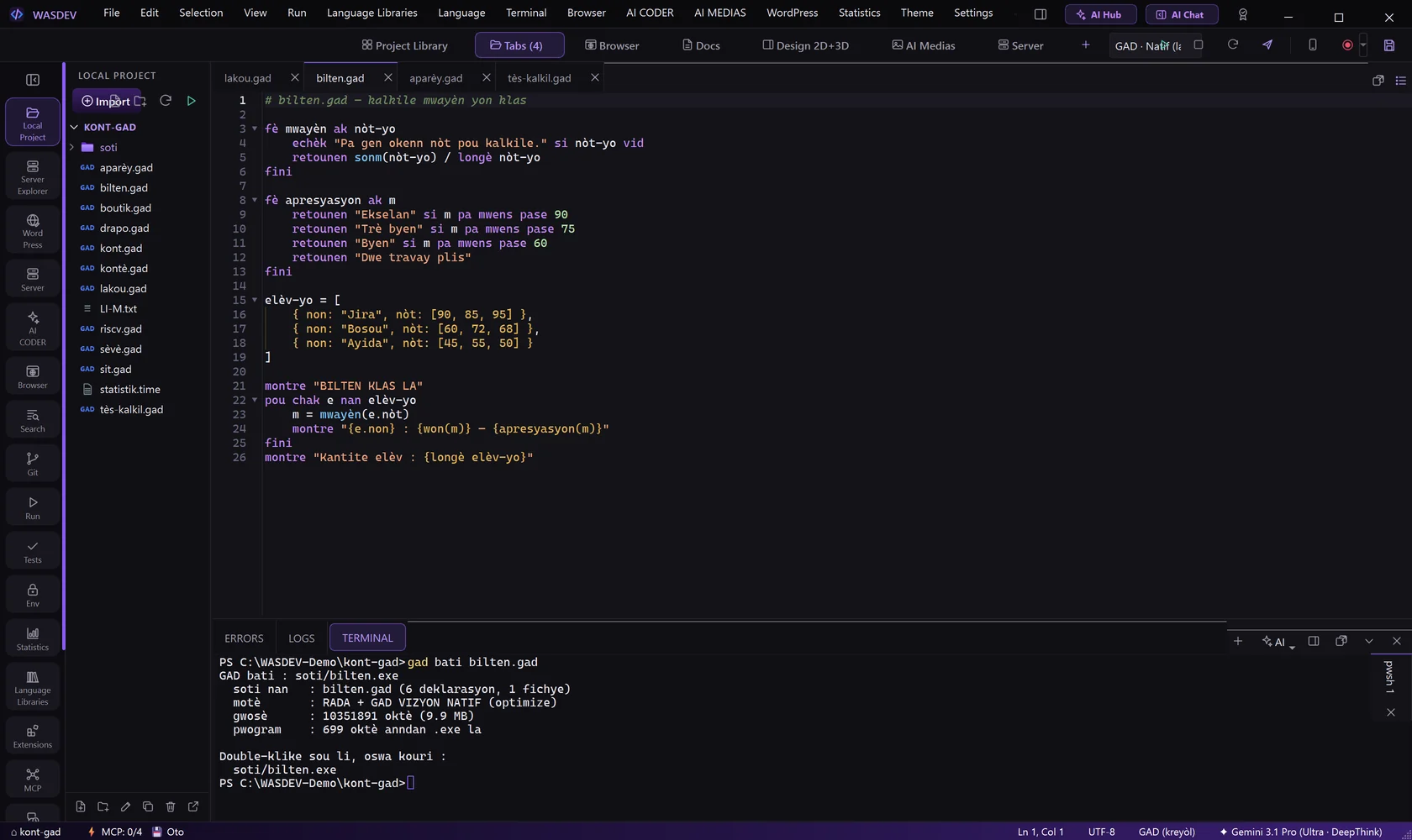
GAD bati : C:\WASDEV-Demo\kont-gad\soti\bilten.exe
  motè       : RADA + GAD VIZYON NATIF (optimize)
  gwosè      : 10352201 oktè (9.9 MB)
pwogram : 854 oktè anndan .exe la- The application is independent: the computer that runs it needs neither GAD nor WASDEV.
- Typed in the terminal:
gad bati bilten.gad --sòti soti/bilten.exe.